 Try Sortd for FREETry Sortd
Sortd pioneered the shared collaboration workspace inside Gmail; Drag has long been its closest follower. Both live natively in Gmail and both now talk about AI — so this updated comparison focuses on what teams feel day to day: ease of use, adoption, workflow depth, pricing, and what's genuinely shipping. For people and teams that live in email — finance, hiring, travel, procurement, program management, sales and BD — this is Business-Class email: Gmail, upgraded.
Rated #1 App for Gmail on Product Hunt (3,185 upvotes) · Selected by Google for Google for Startups · Trusted by 400,000+ professionals

| Sortd | Drag | |
|---|---|---|
| Works inside Gmail | ✓ | ✓ |
| True one-motion drag-and-drop from the inbox | ✓ | ✗ multi-step filing |
| For individuals AND teams | ✓ personal board & day planner | ✗ team-oriented |
| Visual views | ✓ Kanban, Table, Deadline, Planner | ✗ Kanban/list |
| CRM pipelines & shared contacts | ✓ | ✗ limited |
| Advanced custom fields | ✓ Business | ✗ Pro only |
| SLA rules | ✓ Business | ✗ Pro only |
| History | ✓ unlimited (Business) | ✗ 6–12-month windows |
| AI triage included, no credits | ✓ fair use | ✗ credit-metered |
| Connect any AI agent (API + MCP) | ✓ Business $22 | ✗ MCP at Plus, API at Pro, credits |
| Browsers | ✓ Chrome & Edge | ✗ Chrome only |
| Mobile app | ✓ new Sortd app | ✓ |
| Pricing (annual · monthly) | $10–$29 · $14–$39 | $12–$24 · $16–$30 |
Email is repetitive — you feel a clunky tool within a day, and then your team quietly stops using it. Sortd has been reviewed for a decade as the most natural-to-use product in the category: drag an email from the inbox straight onto a board, place it exactly where you want it in one motion, and work with inbox and boards side by side, with zero added clutter. In Drag, taking an email to the right place on a shared board takes multiple presses and view switches — and that friction, repeated hundreds of times a week, is why many former Drag teams have switched to Sortd. The tool your team actually adopts is the one that wins.
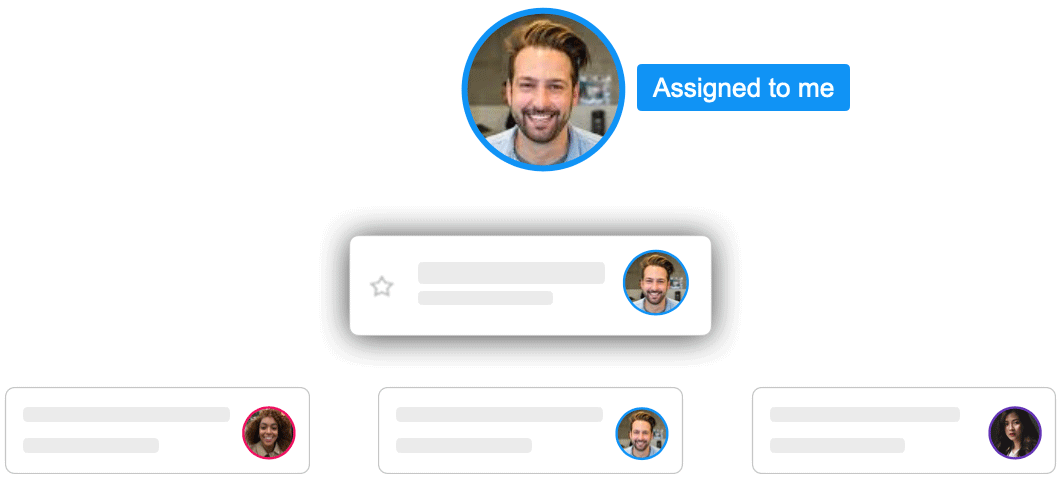
Two details switching teams notice immediately. First, Sortd keeps read/unread accurate per person: an email assigned to you stays unread for you until you open it, even if a teammate already looked at it — so nothing on your plate looks handled when it isn't. Second, boards aren't stuck in newest-first order: drag an urgent email to the top and it stays there. Your inbox is ordered by when things arrived; your board is ordered by what matters. Put email in its place.
Both products cover the core — shared inbox, collaboration, tasks. Sortd's philosophy is that the product should adapt to your company, not the other way around: start from a template, then tailor boards with custom properties (dropdowns, currency, people, formulas), automations, and spreadsheet-style views. Add built-in CRM pipelines and shared contacts and many teams discover they don't need a separate helpdesk or CRM at all — Message Views, shared inboxes, statuses and SLA rules cover what Zendesk or Freshdesk did, without customers ever seeing a ticket number.
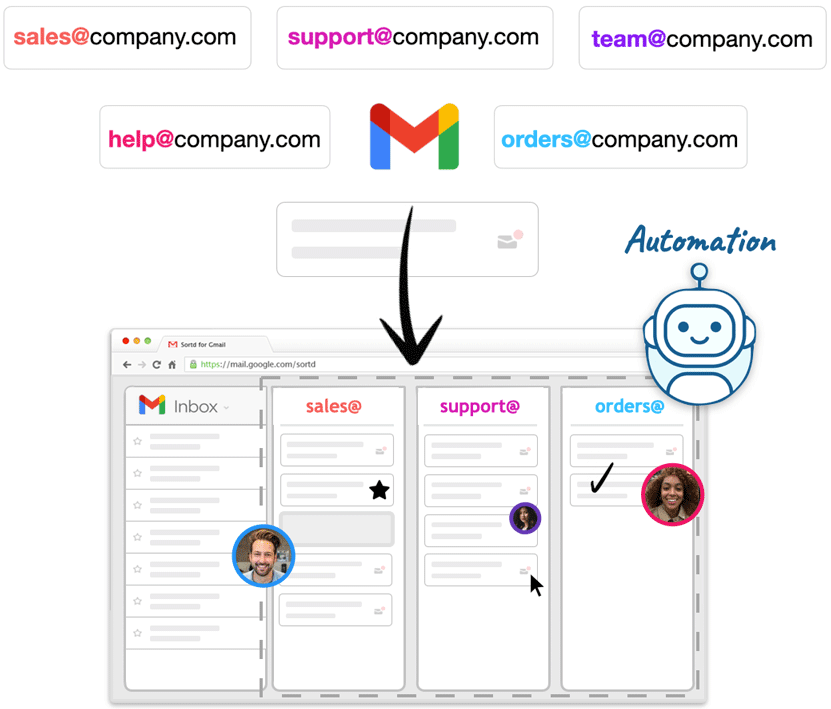
Sortd AI ships in the plans: Smart Status from Essentials, urgency and sentiment on Business, complaint alerts arriving on Business Plus — governed by a plain-English fair-use policy, never credits. And Sortd's full API + MCP server means you can connect any agent — Claude, ChatGPT, Gemini, or whichever you already use — to work your shared inboxes under permissions you control. You shouldn't be locked into one company's agent; hosted options like Claude Managed Agents set up in minutes. Comparing the agent platforms in detail? Sortd vs Drag for AI agents →
Sortd was first in this category and pioneered the shared workspace inside Gmail. It was selected by Google for Google for Startups (Launchpad), won at DEMO and SeedStars, was voted #1 App for Gmail on Product Hunt with 3,185 upvotes, and has been featured in TechCrunch, Wired, Forbes, Business Insider and Lifehacker. More than 400,000 professionals have used Sortd to run their work from Gmail — and the 2026 releases (Sortd AI, the new mobile app, Sortd for Agents) keep it the innovation leader in the category it created.
If you need WhatsApp and live chat inside the same inbox, that's a channel Drag covers today. For email itself — at any team size — we think the rest of this page speaks for itself: a more refined workspace, deeper workflow, AI included rather than metered, and any agent you like working under your permissions.
We're on Drag today — how hard is switching?
Both live in Gmail, so your mail never moves. Boards, statuses and assignments map over directly, and our team will help you set up — many Drag teams have made exactly this move.
Is Drag's AI agent available today?
Drag Agent and their Intelligence layer are Early Access as of July 2026, metered in credits. Sortd AI is live in the plans, and you can connect any agent via MCP today.
Can one person use Sortd, or is it teams-only?
Sortd started as the smart skin for Gmail — personal board, day planner, grouped emails, follow-up tracking. Teams grow into the shared features when ready.
Business-Class email. Gmail, upgraded. · 7-day free trial · no credit card
Pricing verified July 2026 on dragapp.com/pricing and sortd.com/pricing — confirm current pricing on both sites. This page updates our 2023 comparison. See all comparisons →


