 Try Sortd for FREETry Sortd
Gmail is where your business already lives — and it was never designed for teamwork. Forwarded threads, “did anyone reply to this?”, labels that mean different things to different people, follow-ups that live in someone's memory. Sortd doesn't replace Gmail. It turns the Gmail your team already uses into a shared workspace: shared inboxes without forwarding chaos, visual boards, follow-up tracking, Sortd AI triage — and, when you're ready, AI agents working under your supervision.
Trusted by 400,000+ professionals · voted #1 for Gmail on Product Hunt · featured in TechCrunch, Forbes and Fast Company · Google Launchpad alumni · verified Google Workspace app

| The job | Gmail alone | Gmail with Sortd |
|---|---|---|
| Team mailboxes (support@, orders@, accounts@) | Forwarding, CCs, or a shared login everyone fights over | True shared inboxes with assignment, statuses and read/unread sync |
| Who owns what | Memory, Slack messages, and hope | Every thread has an owner, a status, and a place on a board |
| Seeing the work | One long list | Kanban, Table, Deadline and Day Planner views — drag emails straight from the inbox |
| Follow-ups | Snooze and self-discipline | Reminders, deadlines, and boards that show what's slipping |
| Customer & deal tracking | A spreadsheet somewhere | Built-in CRM pipelines, shared contacts, custom fields — next to the email |
| Knowing what's urgent | Read everything and guess | Sortd AI: Smart Status, urgency & sentiment tags; complaint alerts coming to Business Plus |
| Response-time promises | Not possible | SLA rules and response-time reporting |
| AI agents | Raw Gmail API: Google Cloud project, OAuth review, all-or-nothing scopes | One API key: your agent (Claude, ChatGPT, Cursor) drafts for review under permissions you set |
| On the move | Gmail mobile | Gmail mobile + the new Sortd app: boards, shared inboxes and assignments in your pocket |
| Cost | Included in Workspace | From $10/user/mo annual — 7-day free trial, no credit card |
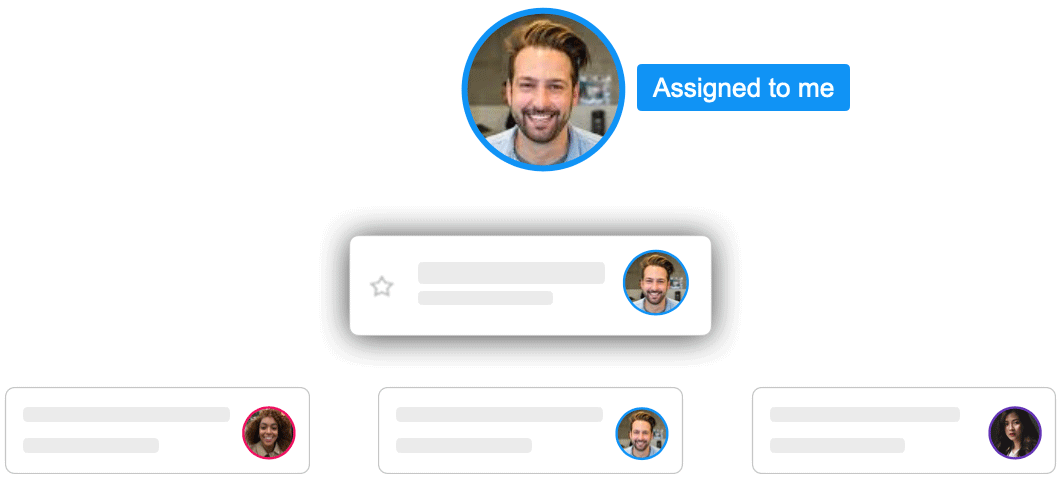
Sortd makes email itself sharable. Forget to CC a colleague on a customer email? If they're on the board, they simply open the card and read the whole conversation — every message, from the very first one. The customer replies only to you? Your colleague still sees it on the board. Nobody forwards anything, nobody gets “looped in,” and no extra copies of emails are created. Assign a weeks-old conversation to a teammate and they have the complete history instantly — and it works exactly the same when the teammate is an AI agent.
Sortd also keeps read/unread accurate for teams: an email assigned to you stays marked unread for you until you open it — even if a teammate already looked at it. Nothing on your plate ever looks handled when it isn't. And because a board is a real organisational workspace — not a list stuck in newest-first order — you can drag an urgent email to the top and it stays there. Your inbox is ordered by when things arrived; your board is ordered by what matters. Put email in its place.
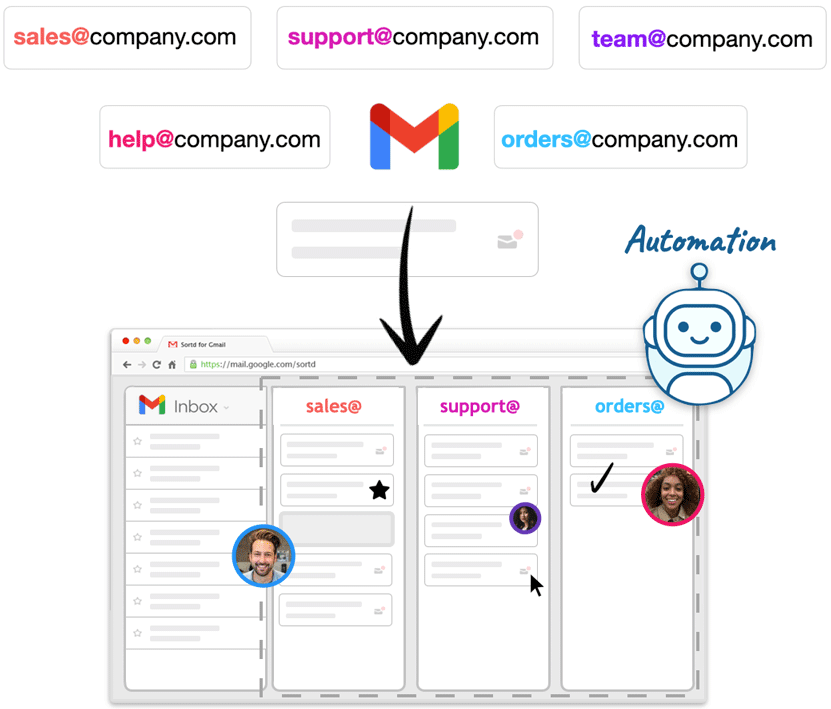
Google's own answers to shared email — Groups as collaborative inboxes, or a shared login — break down fast: no ownership, no statuses, no view of what's overdue, and in the shared-login case, a security problem. Sortd gives every mailbox a workspace: emails become cards, cards carry owners, notes, deadlines and custom fields, and automations plus Sortd AI keep the board honest. Your customers still just get email from your real addresses — no ticket numbers, no “do not reply.”
Sortd started as the smart skin for Gmail — and the personal experience is still the foundation: a private board and day planner, drag-and-drop prioritization, follow-up reminders, grouped emails and tasks in one place. Solo professionals use Sortd to run client work entirely from Gmail; teams grow into the shared features when they're ready. Nothing about Sortd requires you to start with a team.
Sortd AI is built into the plans — Smart Status from Essentials, urgency and sentiment on Business, complaint alerts arriving on Business Plus — governed by a plain-English fair-use policy, never a credit meter. And when your team wants an AI agent working the mailbox, Sortd for Agents connects the agent you already use through a full API and MCP server: drafts-for-review by default, graduated send permissions, full audit trail. Explore Sortd for Agents →
Do we have to leave Gmail or migrate anything?
No. Sortd runs inside Gmail as a verified Google Workspace app. Install the extension, connect your mailboxes, and your email stays exactly where it is.
Does Sortd work with Google Workspace and free Gmail?
Yes — both. Teams typically run it on Google Workspace domains.
What does it cost?
Starter $10, Essentials $16, Business $22, Business Plus $29 per user/month billed annually ($14/$22/$28/$39 monthly). 7-day free trial on the Business plan, no credit card.
Is my email data safe?
Sortd is a verified Google Workspace app with published security, GDPR and privacy policies — see sortd.com/legal/security.
7-day free trial · no credit card · live in minutes
Verified July 2026. See all comparisons →


