 Try Sortd for FREETry Sortd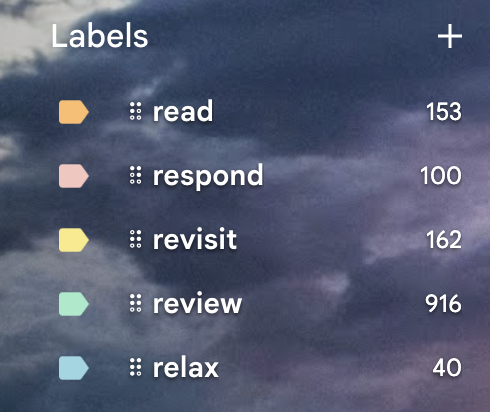
AI Inbox Labels automatically sorts every message in your Gmail inbox into one of six folders — Read, Respond, Revisit, Review, Relax, and R.I.P. — so you always know what needs your attention.
If your inbox is a mix of things you need to reply to, things you're waiting on, and things you can safely ignore, sorting that out by hand every morning gets old fast.
That's exactly what AI Inbox Labels is built to fix. It's a new Sortd AI feature that reads your Primary Gmail inbox and automatically labels every conversation with what it actually needs from you — right inside Gmail, no separate app or tab required.
Every message in your Primary inbox gets sorted into one of six folders, based on a simple framework we call the 5Rs:
Each label shows up as a real Gmail label, so you can see it, filter by it, or search it exactly the way you would any other label in Gmail.
On top of the primary label, some messages also get a secondary tag:
Classification looks at more than just the subject line. It takes into account:
AI Inbox Labels is opt-in. Once it's turned on for your account:
Say a client emails asking you to confirm a meeting time. That lands in Respond. You reply and say you'll circle back with your availability — the thread becomes Revisit, tagged Pinned (waiting on me), since you're the one who owes the next move. Once you've sent your availability and they've confirmed, it moves to Relax — nothing left to do.
No. Once AI Inbox Labels is turned on for your account, labels are applied automatically to new mail as it arrives, and to your recent inbox history the first time it runs.
Yes. Every folder and secondary tag can be switched off individually in your settings.
No — AI Inbox Labels only classifies mail in your Primary inbox (or any Gmail tab you've specifically enabled it for).
Have questions about AI Inbox Labels, or want to turn it on for your account? Reach out to our team — we're happy to help.



